
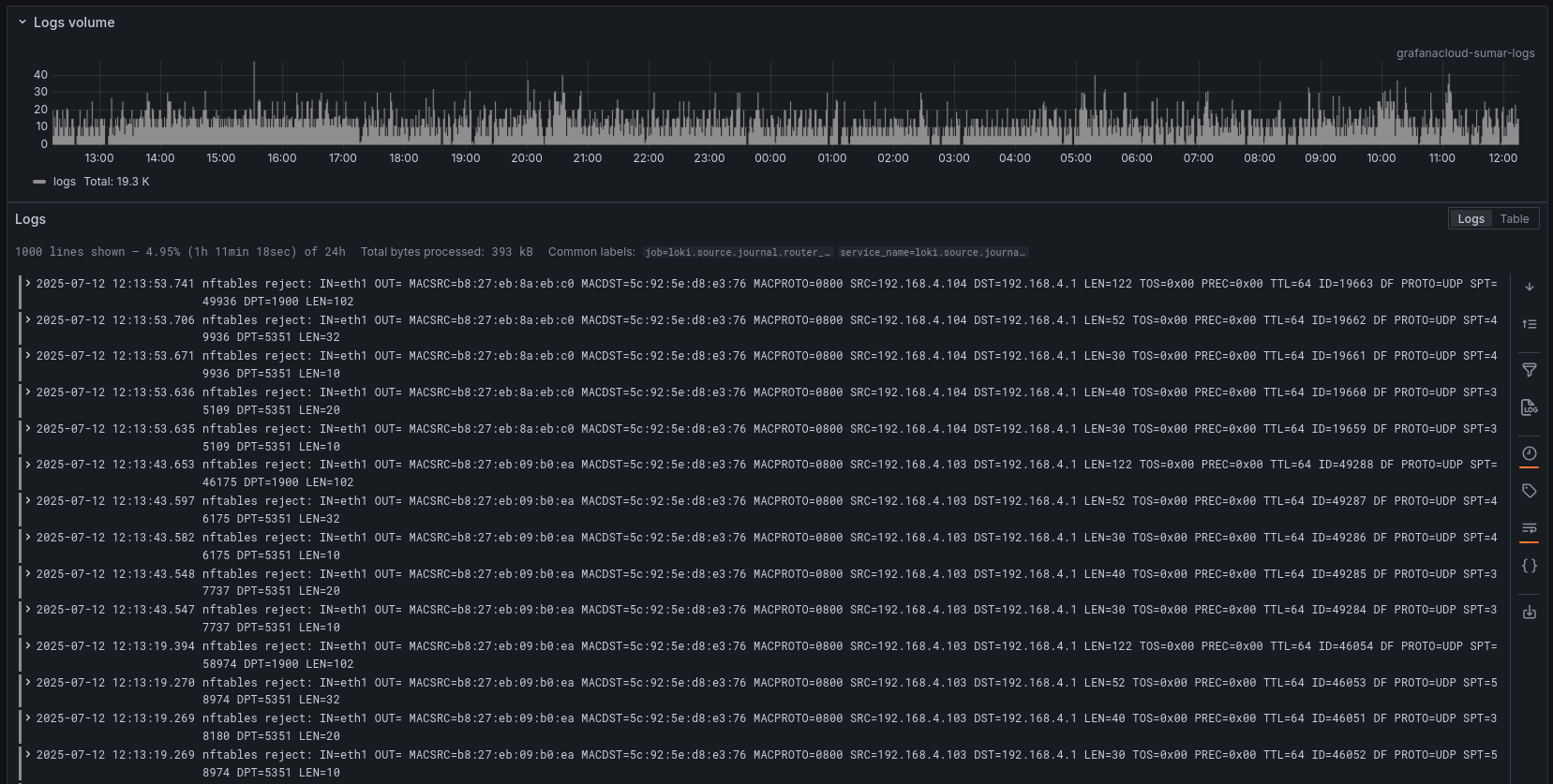
Last week, I spent my weekend building a home router using a TVBox. Thanks to Ophub for providing the Armbian image for my TVBox, which allowed me to run a Linux distribution on it. This TVBox has only one Ethernet port, so I needed a USB-to-Ethernet converter. Thankfully, there is a cheap Gigabit USB-to-Ethernet adapter from TotoLink that uses Realtek and works out of the box on Linux distributions.
Long time ago, first time I learn about Debian 5 server, I use IPTables to setup a home router. Nowadays iptables is considered deprecated and replaced with nftables eventrough iptables still arround. With nftables, it is really easy to setup simple home router, the config file is easy to understand. The wiki also provide stright forward example.
Based on the example provided by the nftables wiki, here is mine:
#!/usr/sbin/nft -f

flush ruleset

define DEV_WORLD = eth0
define DEV_PRIVATE = eth1
define DEV_TS = tailscale0
define NET_PRIVATE = 192.168.4.0/24

table ip global {

    chain inbound_world {
        # accepting ping (icmp-echo-request) for diagnostic purposes.
        # However, it also lets probes discover this host is alive.
        # This sample accepts them within a certain rate limit:
        #
        icmp type echo-request limit rate 5/second accept

        # allow SSH connections from some well-known internet host
        # ip saddr 81.209.165.42 tcp dport ssh accept

        # the rest is rejected with logging
        jump log_reject
    }

    chain inbound_private {
        # accepting ping (icmp-echo-request) for diagnostic purposes.
        icmp type echo-request limit rate 5/second accept

        # allow HTTP, HTTPS, NTP, DHCP, DNS and SSH from the private network. Also allow grafana allow web 12345
        ip protocol . th dport vmap { tcp . 22 : accept, udp . 53 : accept, tcp . 53 : accept, udp . 67 : accept, tcp . 80 : accept, tcp . 443 : accept, udp . 123 : accept, tcp . 12345 : accept }

        # the rest is rejected with logging
        jump log_reject
    }

    chain log_invalid {
        log prefix "nftables invalid: " flags all
        drop
    }

    chain log_reject {
        log prefix "nftables reject: " flags all
        reject
    }

    chain inbound {
        type filter hook input priority 0; policy drop;

        # Allow traffic from established and related packets, drop invalid
        ct state vmap { established : accept, related : accept, invalid : jump log_invalid }

        # allow loopback traffic and tailscale, anything else jump to chain for further evaluation
        iifname vmap { lo : accept, $DEV_TS : accept, $DEV_WORLD : jump inbound_world, $DEV_PRIVATE : jump inbound_private }

        # the rest is dropped by the above policy
    }

    chain forward {
        type filter hook forward priority 0; policy drop;

        # Allow traffic from established and related packets, drop invalid
        ct state vmap { established : accept, related : accept, invalid : jump log_invalid }

        # connections from the internal net to the internet or to other
        # internal nets are allowed
        iifname $DEV_PRIVATE accept

        # the rest is dropped by the above policy
    }

    chain postrouting {
        type nat hook postrouting priority 100; policy accept;

        # masquerade private IP addresses
        ip saddr $NET_PRIVATE oifname $DEV_WORLD masquerade
    }
}Configure kernel to enable packet forwarding:
net.ipv4.ip_forward = 1
net.ipv6.conf.default.forwarding = 1
net.ipv6.conf.all.forwarding = 1With that configuration, I simply ran sudo systemctl restart nftables, and now my TV Box has become a home router.
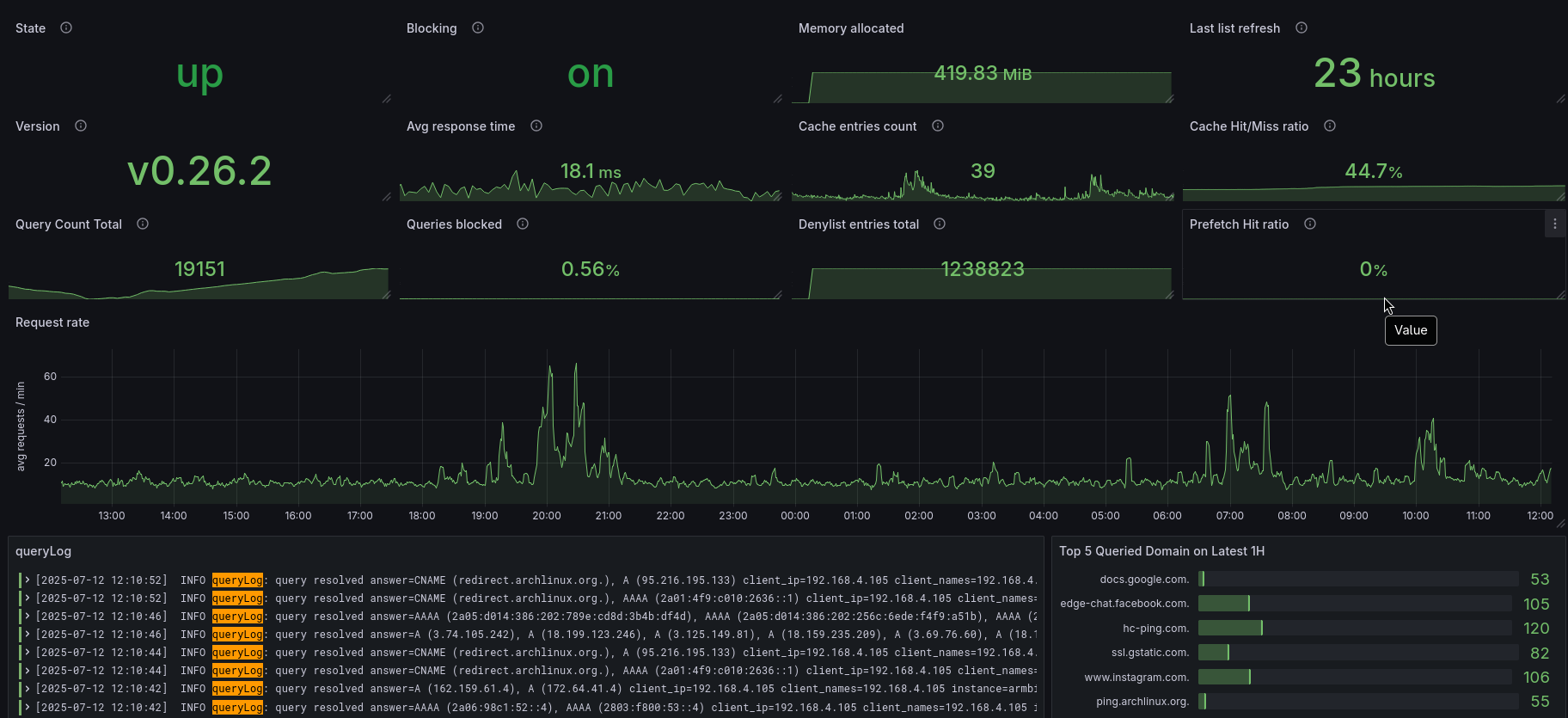
I use Blocky as a DNS server. It not only answers DNS queries but also provides DNS-over-HTTPS for the entire network and blocks ads and unwanted sites, which I can easily customize. Here is my Blocky configuration:
connectIPVersion: v4
bootstrapDns:
  - tcp+udp:1.1.1.1
  - tcp+udp:9.9.9.10
  - tcp+udp:149.112.112.10
upstreams:
  groups:
    default:
      - https://94.140.14.140/dns-query
      - https://94.140.14.141/dns-query
blocking:
  loading:
    refreshPeriod: 24h
  denylists:
    ads:
      - https://raw.githubusercontent.com/nalakawula/oisd-mirror/refs/heads/main/oisd_big
    nsfw:
      - https://raw.githubusercontent.com/nalakawula/oisd-mirror/refs/heads/main/oisd_nsfw
  clientGroupsBlock:
    default:
      - ads
      - nsfw
ports:
  dns: 127.0.0.1:53,[::1]:53,192.168.4.1:53,[fd7a:115c:a1e0::9201:4f09]:53
  http: 127.0.0.1:80,192.168.4.1:80,[fd7a:115c:a1e0::9201:4f09]:80
prometheus:
  enable: true
  path: /metrics
customDNS:
  customTTL: 1m
  filterUnmappedTypes: true
  mapping:
sub.sumar.my.id: 100.101.58.11I use DNSMasq to provide DHCP service. It’s small and easy to configure. Here is my DNSMasq configuration:
# bind to lan eth
interface=eth1
bind-interfaces

# disable dns server
port=0

# Define the DHCP IP range and lease time (e.g., 24 hours)
dhcp-range=192.168.4.100,192.168.4.200,24h

# Set the default gateway (router)
dhcp-option=option:router,192.168.4.1

# Set the DNS server(s) clients should use
# let use blocky
dhcp-option=option:dns-server,192.168.4.1

# Set the subnet mask
dhcp-option=option:netmask,255.255.255.0

# Make dnsmasq authoritative for the network
dhcp-authoritative
That’s all. It’s been a few days, and this router has been running flawlessly.
The provided nftables configuration sets up a home router with specific rules for handling network traffic. Here’s a breakdown of the configuration:
Flush Ruleset:
flush ruleset: Clears any existing rules to start with a clean slate.Definitions:
define DEV_WORLD = eth0: Defines the external network interface.define DEV_PRIVATE = eth1: Defines the internal network interface.define DEV_TS = tailscale0: Defines the Tailscale VPN interface.define NET_PRIVATE = 192.168.4.0/24: Defines the private network range.Table and Chains:
table ip global: Creates a table named global for IPv4 rules.
Inbound Chains:
chain inbound: Filters incoming traffic based on connection state and interface. It allows loopback traffic, Tailscale traffic, and delegates other traffic to inbound_world or inbound_private chains.chain inbound_world: Handles incoming traffic from the external network. It allows limited ICMP echo requests (ping) and SSH connections from specific IPs, while rejecting other traffic with logging.chain inbound_private: Handles incoming traffic from the internal network. It allows specific protocols and ports (e.g., HTTP, HTTPS, DNS, SSH) and rejects other traffic with logging.Logging Chains:
chain log_invalid: Logs and drops invalid packets.chain log_reject: Logs and rejects unwanted packets.Forward Chain:
chain forward: Filters forwarded traffic. It allows traffic from the internal network to the external network or other internal networks.Postrouting Chain:
chain postrouting: Applies NAT rules for outgoing traffic. It masquerades private IP addresses when traffic is sent to the external network.Policies:
drop for inbound and forward chains, ensuring that only explicitly allowed traffic is permitted.