
After realizing that Nushell isn’t supported by major tools like Kubernetes’s kubectl and aws CLI, I felt defeated. The lack of proper autocompletions for these widely used tools was a dealbreaker, and I was ready to go back to Bash, despite my enthusiasm for Nushell’s fresh approach to shell scripting and pipelines.
But then, I stumbled upon Carapace, a cross-shell completion engine that integrates seamlessly with Nushell. This discovery didn’t just make me reconsider Nushell—it actually elevated my terminal experience to a whole new level!
Once I set up Carapace, all the missing completions that had made me doubt Nushell were instantly restored—better than ever before. Instead of manually adding completions for each tool (or worse, living without them), Carapace handled everything for me.
With Carapace, I got:
kubectl, aws, git, terraform, and more.Getting started with Carapace in Nushell is straightforward:
Run Nushell with Carapace (I am using nix-shell):
nix-shell --packages nushell carapace --run nuEdit env.nu and config.nu by following the official setup guide.
a. Set your preferred editor:
$env.VISUAL = 'nvim'b. Edit env.nu with config env command:
# Add after the last line
# https://carapace-sh.github.io/carapace-bin/setup.html#nushell
mkdir ~/.cache/carapace
carapace _carapace nushell | save --force ~/.cache/carapace/init.nu
c. Edit config.nu with config nu command:
# Add after the last line
# https://carapace-sh.github.io/carapace-bin/setup.html#nushell
source ~/.cache/carapace/init.nu
Restart your shell, and enjoy powerful autocompletions!
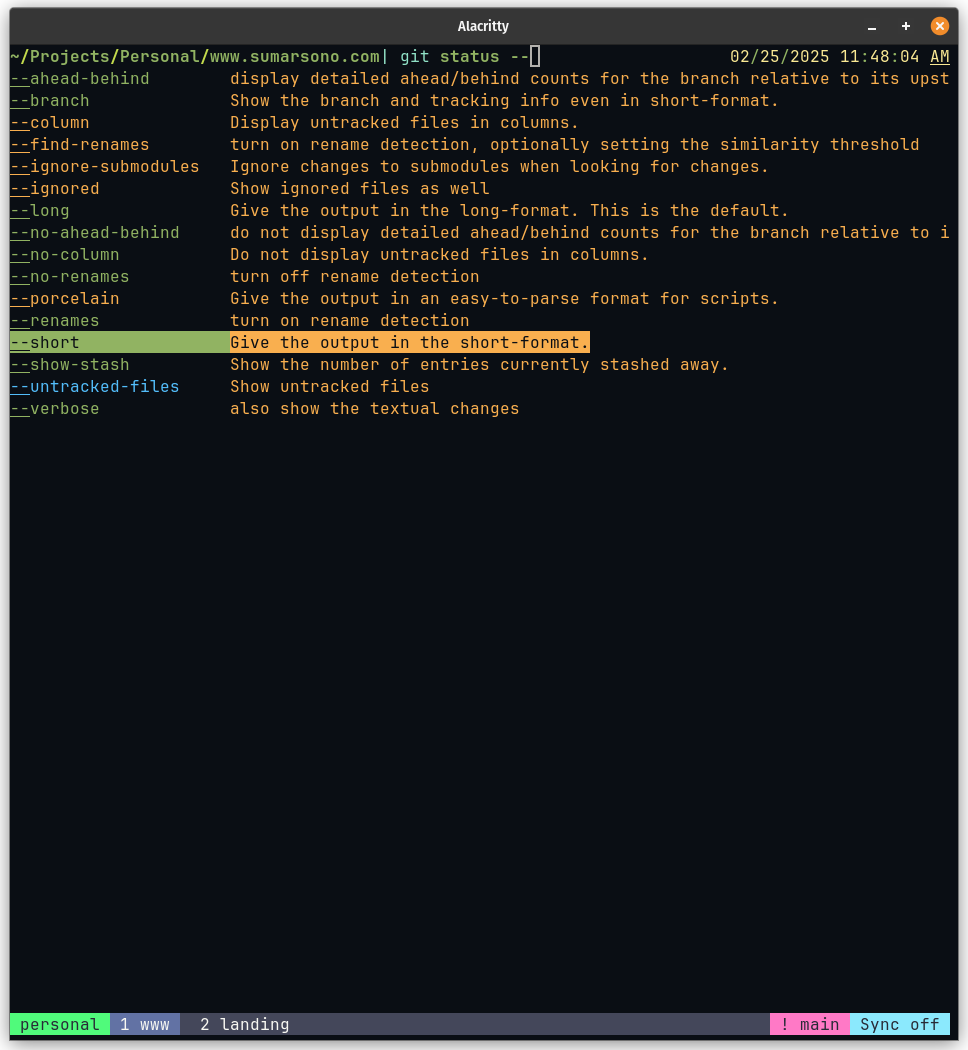
Carapace was the missing piece in my Nushell setup. Instead of abandoning Nushell due to incomplete tooling support, I now have a terminal experience that feels complete and efficient. If you’ve been struggling with missing completions in Nushell, give Carapace a try—it might just change your mind too!
For more details, check out Carapace’s GitHub repository and explore the full list of supported tools.